Built for MSPs from day one
Microsoft and Google each raise alerts inside their own tenants. Hal brings every client’s signals, and the raw events behind them, into one place, isolated per client and kept for a year.
Why most MSPs run without a SIEM
The SIEMs on the market were built for an enterprise with a security team to run them: priced by the gigabyte, weeks to stand up, and a console that assumes one organisation. So most MSPs have never had one. Until recently that was fine. It is not any more: cyber-insurance carriers now ask what you collect, how long you keep it, and whether you can prove it, for every client you cover. What the SIEM keeps, and for how long →
One place instead of a login per tenant
Microsoft and Google each raise their own security alerts and risk signals, and they raise them inside the tenant they belong to. For an MSP that means one console per client, checked in turn, with nothing joined across clients or across sources, and nothing kept past the vendor’s window.
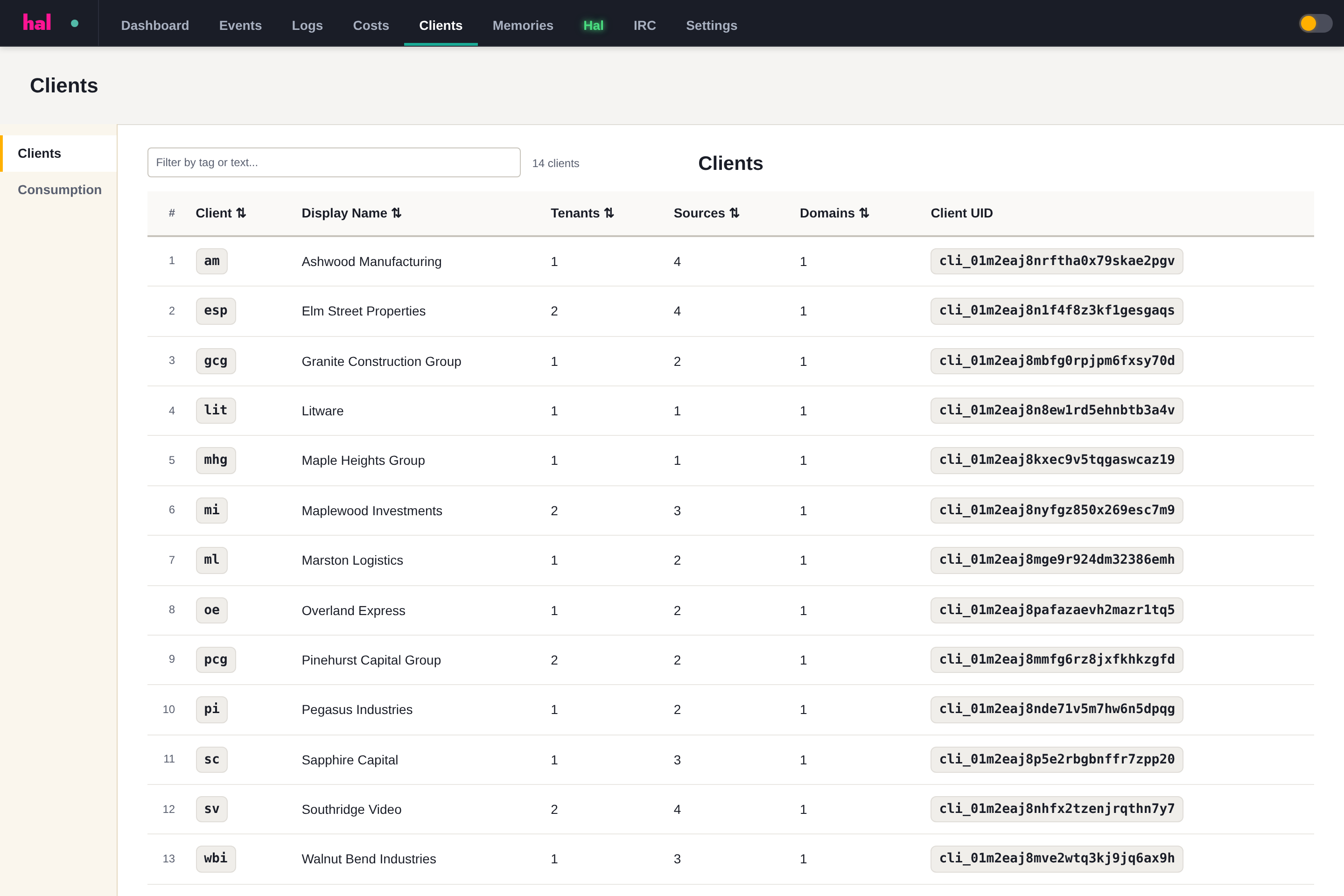
Hal ingests those signals, and the raw events behind them, from every client’s tenants into one instance. One portal shows every client’s source health, open alerts and this month’s cost. One search crosses clients, so the same compromised sender turning up in three tenants is a pattern rather than three tickets. The events are held for a year, and every escalation is written up against the client it belongs to, under an identifier that survives a rename. Each client’s logs stay walled off from the next, on an instance that is yours alone.

Questions this raises
Microsoft and Google already alert us. What does Hal add?
Why does every client have an ID as well as a name?
See what Hal surfaces on your own clients.
No deck. Ask us anything first. When you want to see Hal on your own tenants, we sign a short evaluation agreement and stand up your instance; you connect one tenant, Hal watches it for 14 days, and we walk you through what he found.
- 01You ask us your questions. No deck, no demo dataset.
- 02You sign a short evaluation agreement, and we stand up your own instance.
- 03You connect one tenant from your own admin console. Hal watches it for 14 days.
- 04We walk through what he found. Keep going month to month, or revoke the scopes yourself and stop.