Microsoft Teams
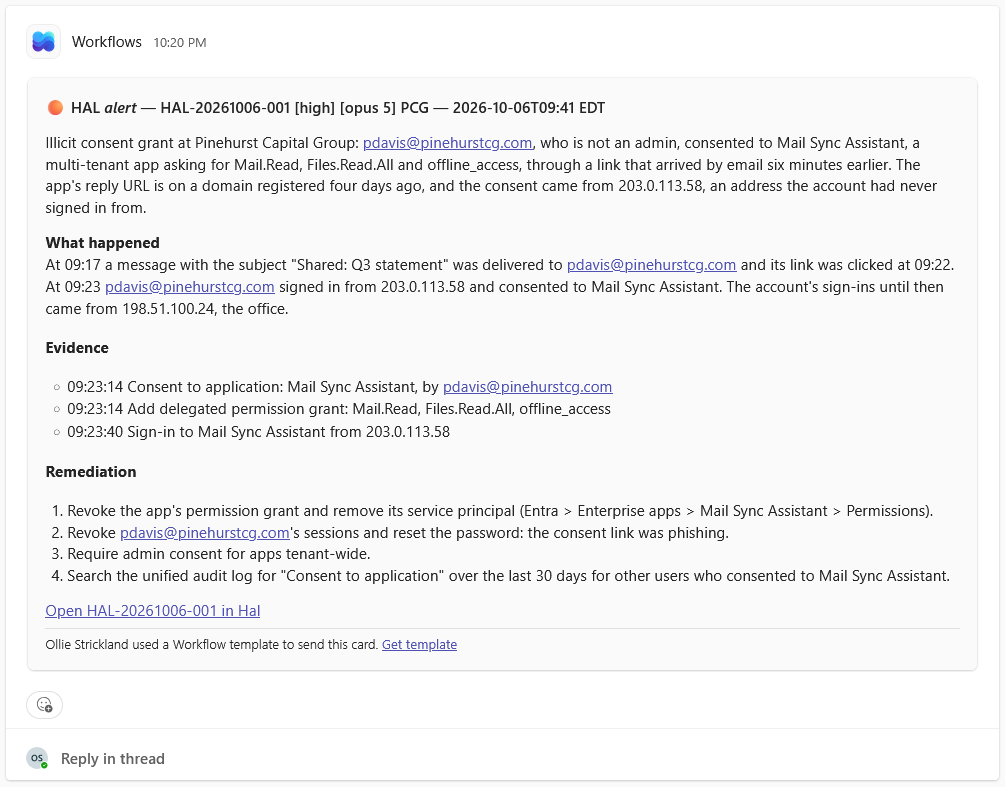
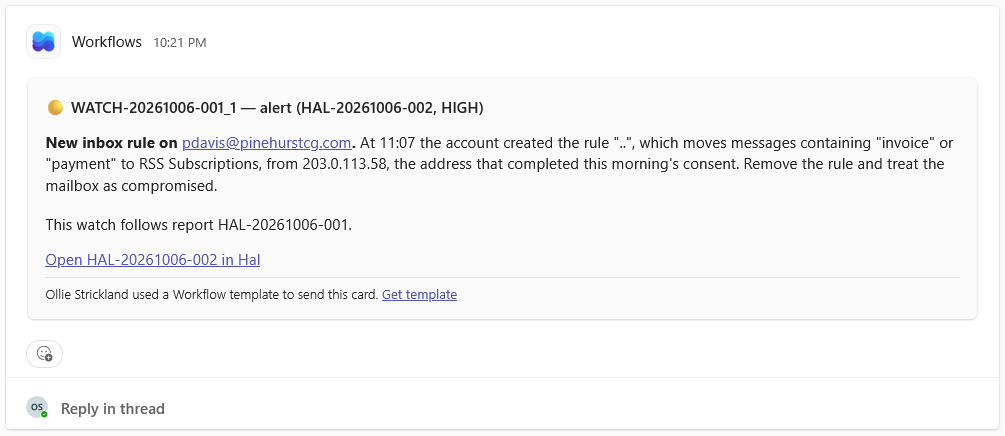
Hal posts each alert into a Microsoft Teams channel as a card of its own: every escalation with its full write-up, the morning digest, Platform Health changes, watch results and notices. Teams receives alerts only, and the portal’s Events page and email stay the channels of record.
Every alert, in the channel your team already watches
Each escalation arrives as one card naming the client, the severity and the time, with the summary, the full write-up and a link to the report in the portal. There is no thread to open: a report too long for one card stops at a whole line and links to the rest in Hal. Teams and Slack are independent, so a team that works in Teams gets its alerts there, and one that uses both can connect either or both.
See what Hal surfaces on your own clients.
No deck. Ask us anything first. When you want to see Hal on your own tenants, we sign a short evaluation agreement and stand up your instance; you connect one tenant, Hal watches it for 14 days, and we walk you through what he found.
- 01You ask us your questions. No deck, no demo dataset.
- 02You sign a short evaluation agreement, and we stand up your own instance.
- 03You connect one tenant from your own admin console. Hal watches it for 14 days.
- 04We walk through what he found. Keep going month to month, or revoke the scopes yourself and stop.