How Triage Works
How an event becomes a conclusion
Hal watches every client every few minutes. The point of triage is that almost nothing reaches you, and what does is a conclusion rather than a pile of raw alerts to sort through. Every event runs the same layered pipeline before Hal writes you up.
- Blacklist. Static rules drop known-safe, high-volume noise first, the majority of events, at no model cost.
- Sigma rules. Around 600 open, community-maintained detection rules catch known attack patterns, also at no model cost.
- Tier 1, fast model. A fast, inexpensive model reads what’s left and makes one call: routine, or worth a closer look.
- Tier 2, second opinion. Anything Tier 1 wants to escalate is re-checked by a stronger model. This gate kills false alarms before they reach the investigation, which is where the real model spend is.
- Tier 3, investigation. Only genuine escalations reach Hal’s own investigation: he searches the logs, correlates across a client’s sources and integrations, and writes the report.
Known-bad source addresses are flagged against threat-intelligence feeds at ingestion, so that signal is available at every stage.
An escalation has to pass two independent judgments before Hal commits to it. That’s why what lands in your inbox is worth your time.
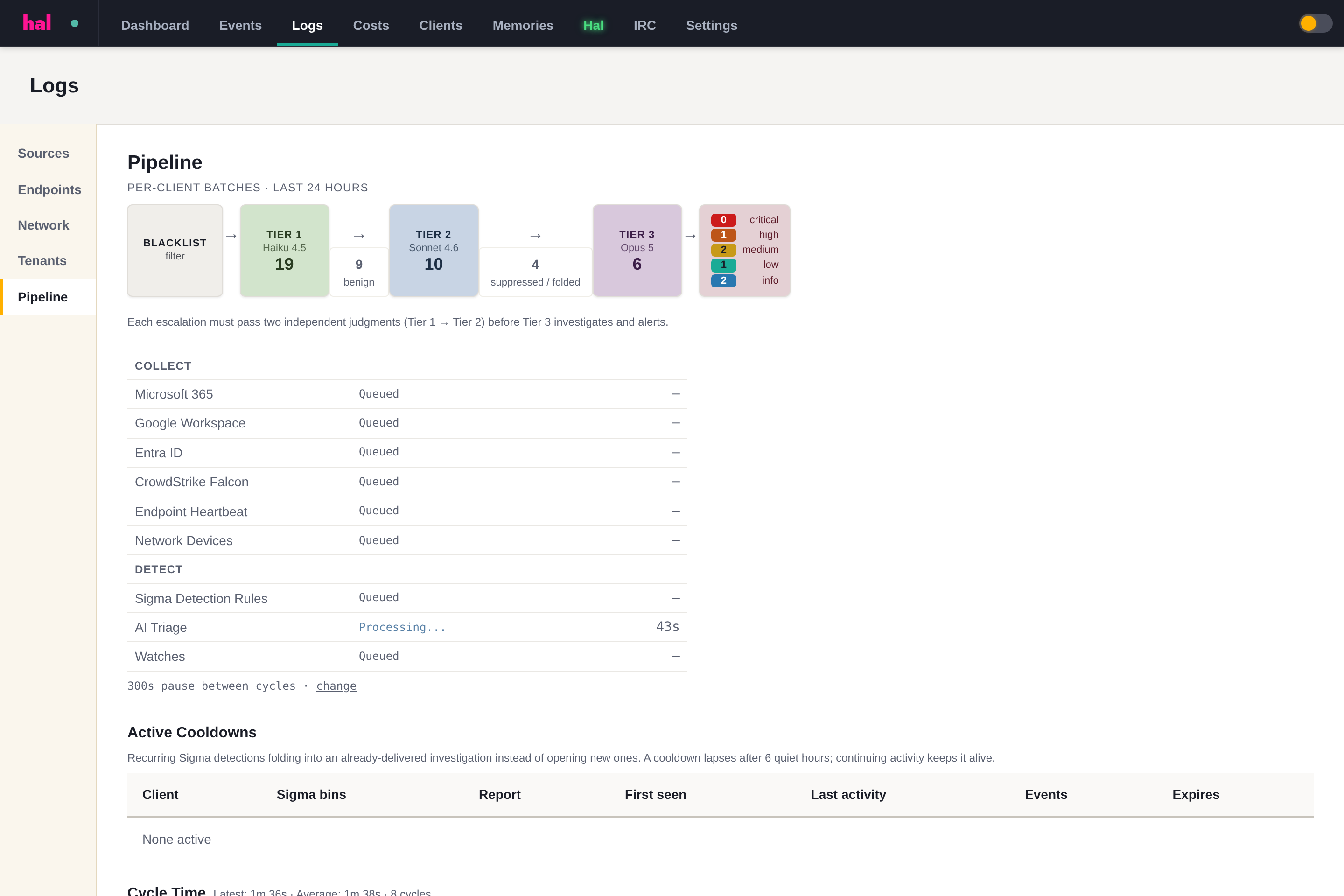
For the stage-by-stage version, see the Detection Pipeline reference. For what an escalation looks like when it arrives, see Reading a Report.
See what Hal surfaces on your own clients.
No deck. Ask us anything first. When you want to see Hal on your own tenants, we sign a short evaluation agreement and stand up your instance; you connect one tenant, Hal watches it for 14 days, and we walk you through what he found.
- 01You ask us your questions. No deck, no demo dataset.
- 02You sign a short evaluation agreement, and we stand up your own instance.
- 03You connect one tenant from your own admin console. Hal watches it for 14 days.
- 04We walk through what he found. Keep going month to month, or revoke the scopes yourself and stop.